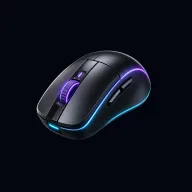
Mouse test
An online mouse tester: click every button and scroll the wheel to see which buttons work and whether any of them double-clicks on its own.
Click each button and scroll the wheel inside this box.
| Button | Clicks | Double-click faults |
|---|---|---|
| Left | 0 | 0 |
| Middle | 0 | 0 |
| Right | 0 | 0 |
| Back | 0 | 0 |
| Forward | 0 | 0 |
| Wheel | ↑ 0 · ↓ 0 | |
runs locally in your browser · nothing is recorded or uploaded
How to run a mouse button test
- Move your pointer into the test box.
- Click the left and right buttons, press the scroll wheel down for the middle button, and press both side buttons.
- Scroll up and down. If your mouse tilts the wheel sideways, try left and right too.
- Click the left button 20–30 times at a normal pace and watch the Double-click faults column.
What the results mean
| Result | Meaning |
|---|---|
| All buttons green, 0 faults | Your mouse is working normally. |
| Double-click faults on Left | The left switch is worn. Common on gaming mice after a year or two of heavy use. |
| A button never turns green | Dead switch, a remapped button in the mouse software, or a connection problem. |
| Scrolling counts the wrong way | A dirty or worn wheel encoder. Run the scroll test. |
Mouse DPI and sensitivity
DPI (or CPI) is how far the pointer moves for each inch you move the mouse. It’s set in the mouse’s own software or with a DPI button, and the browser can’t read it directly. If the pointer feels too fast or slow, change the DPI in the mouse software rather than the system pointer speed, and turn off “Enhance pointer precision” in Windows for consistent aim in games.
Fixing common mouse problems
- Double-clicking: blowing compressed air into the switch sometimes helps for a while. Many mice are still under warranty when it starts; contact the maker before replacing switches yourself.
- Unresponsive buttons: try a different USB port, new batteries or a fresh Bluetooth pairing.
- Buttons doing the wrong thing: check the mouse’s own software (Logitech G Hub, Razer Synapse, etc.) for remapped buttons.
Want to know how fast you can click? Try the CPS test. Checking a gaming mouse? Measure its polling rate.
FAQ
How do I test my mouse online?
Click every button inside the test box: left, right, middle (press the wheel) and the side buttons. Each one lights up in the diagram and turns green once it has worked. Scroll up and down to check the wheel.
Can I test the side buttons (Back and Forward)?
Yes. Most mice report the two side buttons as Back and Forward. The test blocks them from navigating away while you're in the box, so you can press them safely.
What is a double-click fault?
When a mouse switch wears out, one press can bounce and register as two clicks. The test flags any two presses of the same button less than 80 ms apart, which is faster than anyone can click on purpose.
Why doesn't a button show up?
Some buttons are handled by the mouse's own software (like DPI buttons) and never reach the browser. If a normal button doesn't register, try another USB port, new batteries, or re-pairing a wireless mouse.
More tests
 Keyboard test
Press every key and see which ones work, stick or ghost.
Keyboard test
Press every key and see which ones work, stick or ghost.
 CPS test
How many clicks per second can you do? 1, 5, 10, 30 or 60 seconds.
CPS test
How many clicks per second can you do? 1, 5, 10, 30 or 60 seconds.
 Double click test
Find out if your mouse registers one click as two.
Double click test
Find out if your mouse registers one click as two.
 Scroll test
Check your scroll wheel for skipping and wrong-direction jumps.
Scroll test
Check your scroll wheel for skipping and wrong-direction jumps.
 Polling rate test
Measure your mouse's polling rate in Hz.
Polling rate test
Measure your mouse's polling rate in Hz.
 Dead pixel test
Fill your screen with solid colors to find dead and stuck pixels.
Dead pixel test
Fill your screen with solid colors to find dead and stuck pixels.